

Improving WordPress security is essential, as WordPress is a content management system for making web pages, which makes it a frequent target of cyber attacks. To keep your website secure, it is essential to have effective tools such as the All In One WP Security & Firewall plugin. This plugin offers a wide range of security features in both its free and premium versions that help protect your website from common threats such as brute force attacks, malware, and login vulnerabilities.
All In One WP Security – Desktop
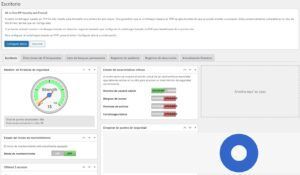
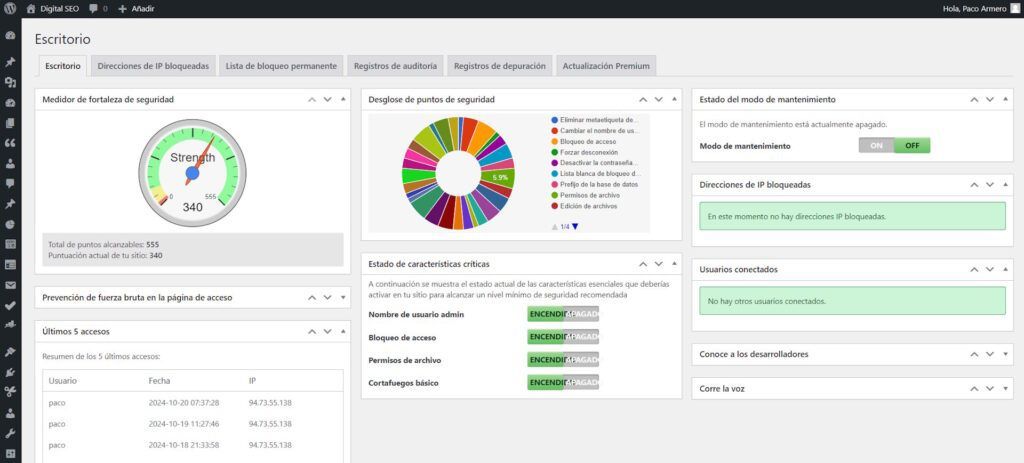
From the plugin’s “Desktop”, you can monitor the overall security status of your site using a “point meter”, which shows you the current level of protection based on the enabled features.
Improving WordPress security
Key features of the plugin and improve security in WordPress
1. Login security
- Failed attempt limitation: This feature protects against brute force attacks by limiting the number of failed attempts before blocking a suspicious IP address.
- CAPTCHA and alternatives: You can add Google reCAPTCHA or use Cloudflare Turnstile‘s CAPTCHA alternative, a more privacy-friendly option, to avoid automated attacks…
- Protection against user enumeration: The plugin prevents attackers from discovering valid usernames by enumerating users in URLs.
2. Protection against brute force
The plugin provides robust protection against brute force attacks:
- Cookie blocking: Adds an additional layer of cookie verification that ensures login attempts are coming from legitimate users.
- Forced logout: You can set up automatic logouts to prevent users from staying logged in indefinitely.
.
3. Advanced File Protection and Firewall
The integrated firewall offers multiple levels of protection to keep external threats at bay:
- Advanced firewall rules: The plugin includes basic to advanced rules that protect your site from common attacks.
- 6G Blacklist: This advanced feature automatically blocks malicious requests, bots and referrer spam by implementing the 6G blacklist of Perishable Press….
- Protection against fake Google bots: The firewall identifies and blocks malicious bots that impersonate Google crawlers to access your site.
- .htaccess protection: Ensures that critical files such as
.htaccessandwp-config.phpare protected from unauthorized modifications.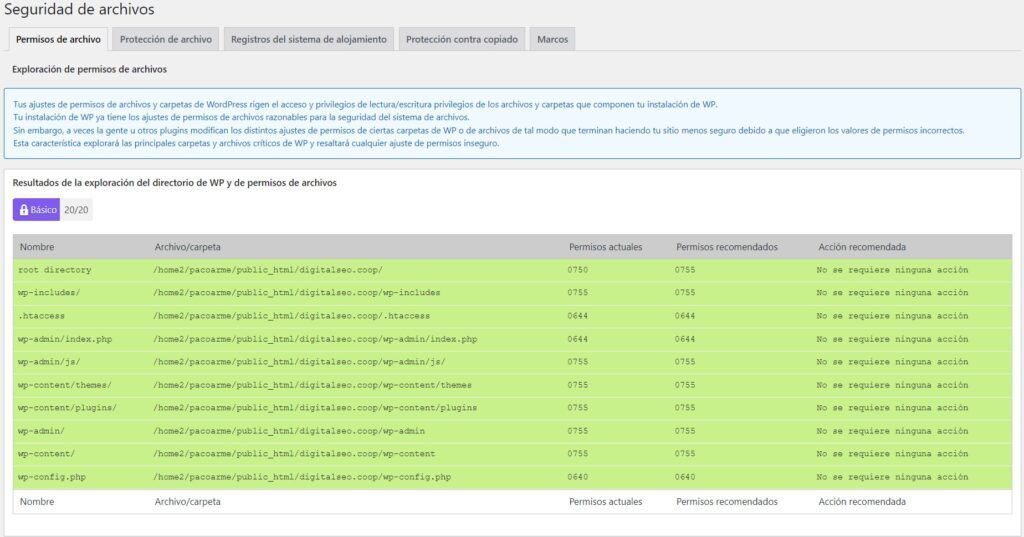
Protect your WordPress files
4. Content protection
- Comment spam prevention: The plugin blocks malicious comments or spam using CAPTCHA and reCAPTCHA, and allows you to block IP addresses attempting to send unwanted comments.
- Copyright protection: To prevent content theft, the plugin disables right-click and text selection, preventing users from copying your content.
- Hotlinking protection: Ensures that other sites do not use your images directly, which saves bandwidth and protects your resources.
5. Scanning and monitoring of files
- File change scanning: Receive alerts if there are modifications to your WordPress files, helping you to quickly identify any suspicious activity.
- Disable PHP file editing: Protect your site’s code by disabling the ability to edit PHP files from the administration panel.
6. Advanced protection with the Premium version
The Premium version of All In One WP Security & Firewall adds advanced features that provide an additional level of security:
- Automatic malware scanning: Performs scheduled scans to detect and remove malware, Trojans and spyware before they can damage your site.
- Country blocking: Restricts access from specific countries with 99.5% accuracy, ideal for reducing the risk of targeted attacks.
- Two-Factor Authentication (2FA): Adds an additional layer of security by requiring a one-time verification code for each login. This feature is fully customizable for different user roles and trusted devices.
Protect your WordPress and monitor any attack
Summary
The All In One WP Security & Firewall plugin is a powerful and easy-to-use tool to protect and enhance WordPress security from cyber threats. With a number of features ranging from login protection to an advanced firewall, this plugin ensures that your site is protected against the most common online threats. Don’t wait any longer and strengthen your website security today.
References:
- AIOS Official Website – All In One WP Security & Firewall
- Download AIOS – All In One WP Security & Firewall


